
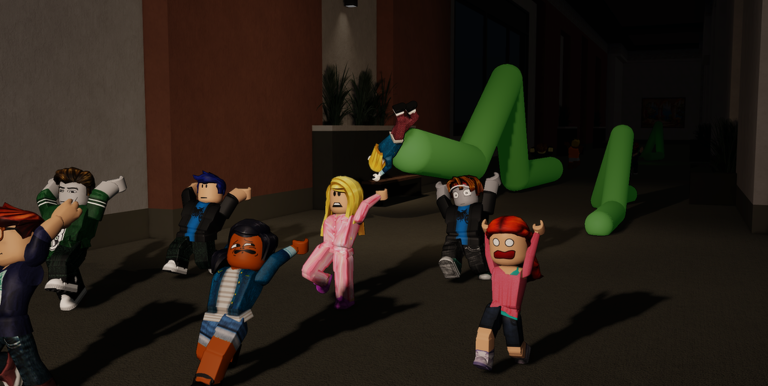
Playing smarter on mobile usually comes down to finding a good INCHWORM script that actually works without crashing your game every five minutes.
You drop into a map and have to survive silly worm physics while avoiding instant permanent bans if you mess around with exploits, plus deal with plenty of bugs during this beta testing phase.
If you want to stop those annoying worms from grabbing and dragging you away, grab the working code below and test it out.
INCHWORM Script – if the script stops working message me & More
local Players = game:GetService("Players")
local RS = game:GetService("ReplicatedStorage")
local LP = Players.LocalPlayer

local Remotes = RS:WaitForChild("Remotes")
local sci = Remotes:WaitForChild("SkillCheckInput")
local sas = Remotes:WaitForChild("StartAttackSequence")

local enabled = true

sci.OnClientEvent:Connect(function(attackId, current, max)
    if not enabled then return end
    if type(attackId) ~= "string" then return end
    pcall(function()
        sci:FireServer(attackId, true, "Computer")
    end)
end)

local handler = function(id)
    if type(id) ~= "string" then return false end
    pcall(function()
        sci:FireServer(id, true, "Computer")
    end)
    return true
end

pcall(function() sas.OnClientInvoke = handler end)

task.spawn(function()
    while true do
        task.wait(1)
        if enabled then
            pcall(function() sas.OnClientInvoke = handler end)
        end
    end
end)

local gui = Instance.new("ScreenGui")
gui.Name = "AutoSC"
gui.ResetOnSpawn = false
gui.Parent = LP:WaitForChild("PlayerGui")

local btn = Instance.new("TextButton")
btn.Size = UDim2.new(0, 140, 0, 32)
btn.Position = UDim2.new(0, 20, 0, 100)
btn.BackgroundColor3 = Color3.fromRGB(40, 160, 90)
btn.TextColor3 = Color3.fromRGB(255, 255, 255)
btn.Font = Enum.Font.GothamBold
btn.TextSize = 13
btn.Text = "Anti Grab: ON"
btn.Parent = gui
Instance.new("UICorner", btn).CornerRadius = UDim.new(0, 6)

btn.MouseButton1Click:Connect(function()
    enabled = not enabled
    btn.Text = enabled and "Anti Grab: ON" or "Anti Grab: OFF"
    btn.BackgroundColor3 = enabled and Color3.fromRGB(40, 160, 90) or Color3.fromRGB(80, 80, 90)
end)Copy the code above into a compatible Roblox script executor if you choose to test it.
INCHWORM Script Status
Roblox and game updates can affect compatibility, so the script’s status should be treated as temporary rather than guaranteed.
Frequently Asked Questions
What is a INCHWORM script?
A INCHWORM script is third-party Lua code intended to run alongside the Roblox game through a compatible script executor.
What features does this INCHWORM script include?
Different scripts contain different code. This version includes: if the script stops working message me.
How do you use the INCHWORM script?
Pick a compatible executor such as Hydrogen, MacSploit, AWP.GG, Delta, Fluxus, Codex, launch Roblox and join the game, copy the complete Lua code from the script card above, paste it into the executor’s editor, and click Run or Execute. Compatibility changes over time, so a name here doesn’t guarantee current support.
Can a INCHWORM script get your Roblox account banned?
Yes. Third-party scripts can violate Roblox rules and may put an account at risk. Only use code from a source you trust, never enter your Roblox password into a script or executor, and test on an alternate account first.
Does the INCHWORM script work on mobile?
Check whether both the executor and the script support your device and the current Roblox version. Mobile executor support does not guarantee that every script will work.

