
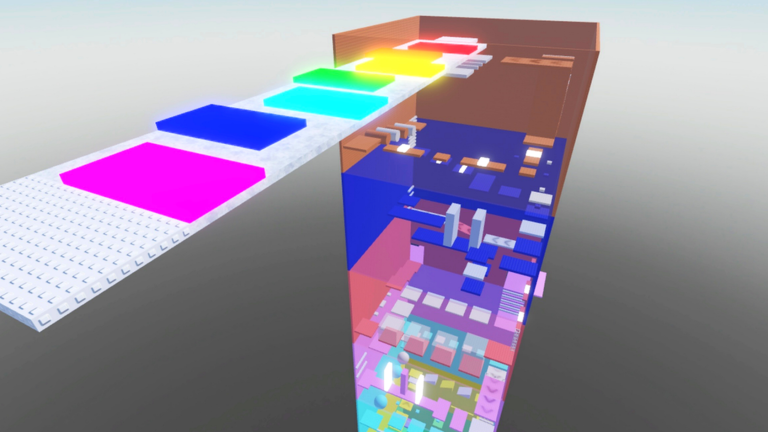
Climbing that massive vertical map and dodging hazards gets old fast when everyone else keeps messing with you. Using a Troll Bomb Tower script changes the vibe entirely and lets you actually enjoy the climb without the usual frustration.
The main loop is simple enough: you climb the tower to avoid the exploding troll bomb before time runs out. Players also mess around by using slaps to push each other around and knock rivals into trouble.
If you want to survive the chaos and see what’s waiting at the top, grab the working script below and test it out.
Troll Bomb Tower Script – Working Script
local localplr = game.Players.LocalPlayer
local drag = nil

pcall(function()
    drag = loadstring(game:HttpGet("https://rawscripts.net/raw/Universal-Script-Drag-UI-SUPPORTS-MOBILE-22790"))()
end)

if drag == nil then
    drag = function(f)
        if f then
            f.Active = true
            f.Draggable = true
        end
    end
end

gui2 = Instance.new("ScreenGui")
gui2.Name = ""

for i = 1, 50 do
    gui2.Name = gui2.Name .. tostring(math.random(1, 9))
end

gui2.ResetOnSpawn = false
gui2.Parent = game.CoreGui

local mainframe2 = Instance.new("TextLabel")
mainframe2.BackgroundColor3 = Color3.fromRGB(50, 50, 50)
mainframe2.BorderColor3 = Color3.fromRGB(255, 255, 255)
mainframe2.Size = UDim2.new(.1, 0, .05, 0)
mainframe2.Position = UDim2.new(.45, 0, .475, 0)
drag(mainframe2)
mainframe2.Text = "Made By NLC"
mainframe2.TextScaled = true
mainframe2.TextColor3 = Color3.fromRGB(255, 255, 255)

local textbutton = Instance.new("TextButton")
textbutton.Position = UDim2.new(0, 0, 1, 0)
textbutton.Size = UDim2.new(1, 0, 2, 0)
textbutton.Text = "Anti-Slap/Fling: Off"
textbutton.TextScaled = true
textbutton.TextColor3 = Color3.fromRGB(255, 255, 255)
textbutton.BackgroundColor3 = Color3.fromRGB(50, 50, 50)
textbutton.BorderColor3 = Color3.fromRGB(255, 255, 255)
textbutton.Parent = mainframe2

local as = false

function dobv(v, char)
    local undo = false

    if as then
        if v:IsA("BodyAngularVelocity") then
            undo = true
            v:Destroy()
        elseif v:IsA("BodyGyro")
            and v.MaxTorque ~= Vector3.new(8999999488, 8999999488, 8999999488)
            and v.D ~= 500 and v.D ~= 50 and v.P ~= 90000 then
            undo = true
            v:Destroy()
        elseif v:IsA("BodyVelocity")
            and v.MaxForce ~= Vector3.new(8999999488, 8999999488, 8999999488)
            and v.Velocity ~= Vector3.new(0, 0, 0) then
            undo = true
            v:Destroy()
        elseif v:IsA("BasePart") then
            v.ChildAdded:Connect(function(v2)
                dobv(v2, char)
            end)
        end

        if undo and char and char:FindFirstChild("Humanoid") then
            char.Humanoid.Sit = false
            char.Humanoid.PlatformStand = false
        end
    end
end

textbutton.MouseButton1Click:Connect(function()
    as = not as

    if as then
        textbutton.Text = "Anti-Slap/Fling: ON"

        if localplr.Character then
            for i, v in pairs(localplr.Character:GetChildren()) do
                dobv(v, localplr.Character)

                for i, v in pairs(v:GetChildren()) do
                    dobv(v, localplr.Character)
                end
            end
        end
    else
        textbutton.Text = "Anti-Slap/Fling: OFF"
    end
end)

function dc(c)
    for i, v in pairs(c:GetChildren()) do
        dobv(v, c)
    end

    c.ChildAdded:Connect(function(v)
        dobv(v, c)
    end)
end

if localplr.Character then
    dc(localplr.Character)
end

localplr.CharacterAdded:Connect(dc)

local textbutton2 = Instance.new("TextButton")
textbutton2.Position = UDim2.new(0, 0, 3, 0)
textbutton2.Size = UDim2.new(1, 0, 2, 0)
textbutton2.Text = "Kill All (requires glove to be ingame)"
textbutton2.TextScaled = true
textbutton2.TextColor3 = Color3.fromRGB(255, 255, 255)
textbutton2.BackgroundColor3 = Color3.fromRGB(50, 50, 50)
textbutton2.BorderColor3 = Color3.fromRGB(255, 255, 255)
textbutton2.Parent = mainframe2

function getglove()
    for i, v in pairs(game.Players:GetPlayers()) do
        if v.Character then
            for i, v in pairs(v.Character:GetChildren()) do
                if v:IsA("Tool")
                    and (string.find(v.Name:lower(), "glove")
                    or string.find(v.Name:lower(), "slap"))
                    and v:FindFirstChild("FlightSpeed")
                    and v:FindFirstChild("Power")
                    and v:FindFirstChild("Event") then
                    return v, v.Event
                end
            end
        end

        if v:FindFirstChild("Backpack") then
            for i, v in pairs(v.Backpack:GetChildren()) do
                if v:IsA("Tool")
                    and (string.find(v.Name:lower(), "glove")
                    or string.find(v.Name:lower(), "slap"))
                    and v:FindFirstChild("FlightSpeed")
                    and v:FindFirstChild("Power")
                    and v:FindFirstChild("Event") then
                    return v, v.Event
                end
            end
        end
    end

    for i, v in pairs(game.ReplicatedStorage:GetDescendants()) do
        if v:IsA("Tool")
            and (string.find(v.Name:lower(), "glove")
            or string.find(v.Name:lower(), "slap"))
            and v:FindFirstChild("FlightSpeed")
            and v:FindFirstChild("Power")
            and v:FindFirstChild("Event") then
            return v, v.Event
        end
    end
end

textbutton2.MouseButton1Click:Connect(function()
    local glove, event = getglove()

    if event then
        for i, v in pairs(game.Players:GetPlayers()) do
            if v ~= localplr and v.Character then
                event:FireServer(
                    "slash",
                    v.Character,
                    Vector3.new(0, -tonumber("inf"), 0)
                )
            end
        end
    end
end)

local textbutton3 = Instance.new("TextButton")
textbutton3.Position = UDim2.new(0, 0, 5, 0)
textbutton3.Size = UDim2.new(1, 0, 2, 0)
textbutton3.Text = "Fling All (requires glove to be ingame)"
textbutton3.TextScaled = true
textbutton3.TextColor3 = Color3.fromRGB(255, 255, 255)
textbutton3.BackgroundColor3 = Color3.fromRGB(50, 50, 50)
textbutton3.BorderColor3 = Color3.fromRGB(255, 255, 255)
textbutton3.Parent = mainframe2

textbutton3.MouseButton1Click:Connect(function()
    local glove, event = getglove()

    if event then
        for i, v in pairs(game.Players:GetPlayers()) do
            if v ~= localplr and v.Character then
                event:FireServer(
                    "slash",
                    v.Character,
                    Vector3.new(0, tonumber("inf"), 0)
                )
            end
        end
    end
end)

mainframe2.Parent = gui2Copy the code above into a compatible Roblox script executor if you choose to test it.
Troll Bomb Tower Script Status
Roblox and game updates can affect compatibility, so the script’s status should be treated as temporary rather than guaranteed.
Frequently Asked Questions
What is a Troll Bomb Tower script?
A Troll Bomb Tower script is third-party Lua code intended to run alongside the Roblox game through a compatible script executor.
What features does this Troll Bomb Tower script include?
Different scripts contain different code and features. Check the script menu after it loads to see everything it offers.
How do you use the Troll Bomb Tower script?
Pick a compatible executor such as Hydrogen, MacSploit, AWP.GG, Delta, Fluxus, Codex, launch Roblox and join the game, copy the complete Lua code from the script card above, paste it into the executor’s editor, and click Run or Execute. Compatibility changes over time, so a name here doesn’t guarantee current support.
Can a Troll Bomb Tower script get your Roblox account banned?
Yes. Third-party scripts can violate Roblox rules and may put an account at risk. Only use code from a source you trust, never enter your Roblox password into a script or executor, and test on an alternate account first.
Does the Troll Bomb Tower script work on mobile?
Check whether both the executor and the script support your device and the current Roblox version. Mobile executor support does not guarantee that every script will work.

